Blog #11: LiveBinders

This blog is about another technology that I found while searching the internet for effective tools to use in a classroom. This technology is called LiveBinders. This website can be found at https://www.livebinders.com/welcome/. It is a simpler way to organize online material. You can sign up for this website for free. This can also be downloaded as an app so you have access to your online binder anywhere.
Here is a video from LiveBinders:
LiveBinders Features

With LiveBinders you can organize your documents, package resources, and keep all your links in an easy place to find. With this website, you can organize all your files into different tabs and subtabs to make for easier navigation. Notes and instructions can be left to the side of each document to help guide others through your binder. There are some binders that are posted for the public to see and have access to the materials. Some really great ones that I found were a NASA guide, student success resources, and assessment logistics. Binders can be shared through URLs or it can be embedded into a website. A great way to use this tool with another tool I have written a blog about would be to include your link on your Google Classroom so all your materials are easy for your students to find.
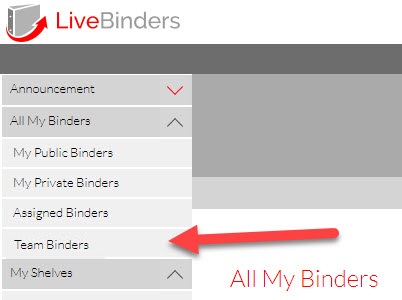
There is also a featured page accessible from the homepage where you can browse all the different binders that have been uploaded by different users. There is also an option for you to keep some binders as private so only you have access to the content inside that binder.
Ease of Use

LiveBinders seems very easy to use! You can upload all your documents and organize them into different tabs. You can also create more than one binder which would be great to keep your different classes organized. For an elementary teacher this may look like separating English, Science, and Math into different binders. For a middle or high school teacher this may look like separating your binders for the different class periods.
Versatility

I would say that LiveBinders is very versatile. Teachers can post the URL for their binder in a place where all students can access it, like Google Classroom or Canvas. Students can then go in and find any resource they made need for the class. Another thing teachers can do is have students create their own binder to act as a portfolio where they can keep all their different online assignments organized so everything is easy to find, both for the student and for the teacher.
Likelihood of Using
I would be very likely to use LiveBinders. I would use it to keep all my different worksheets for my students organized and in one spot. Having a file cabinet overflowing with different papers sounds very overwhelming so I would keep all my different resources in one of these online binders and then print out enough copies for each student in my class. You would also never have to worry about losing your master copy of anything!
Connections to Course
The biggest connection to coursework that I can see this technology aligning with would be T1(Planning). Teachers can use different tabs within a binder to plan out each lesson in a unit. All their different online materials for class can be in one easy spot to find.
I would also connect this to a couple different aspects of the 7 Events and Technologies framework. I would first connect it to recalling prerequisite learning because students can go in and review any material they need at any time. I would also connect this to assessing the lesson outcome because you can have students upload any completed assignments into their own binder.


Comments
Post a Comment